Editing Technologies for Application Presets
After you have created technologies for application presets, you can edit technologies by the following ways:
- Renaming
- Disabling/Enabling
- Deleting
For information about creating technologies for application presets, see Creating Technologies for Application Presets.
To rename a technology:
-
From the Certify menu, select Configure > Web > Options.
The Certify Web Interface Options tool opens.
-
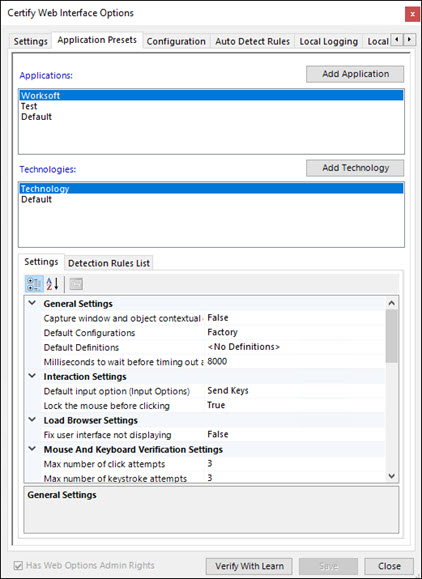
Click the Application Presets tab.
The Application Presets tab opens.
-
Right-click on a technology and select Rename.
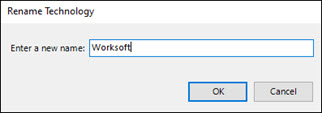
The Rename Technology dialog opens.
-
In the Name field, enter a new name.
-
Click OK.
The renamed technology appears in the Technologies list.
-
Click Save.
To disable and enable a technology:
-
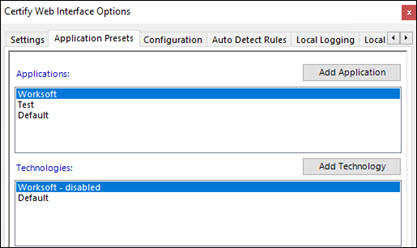
From the Application Presets tab, right-click on a technology and select Disable.
The selected technology is marked disabled in the Technologies list, and it cannot be used.
-
To enable the disabled technology, right-click on the technology and select Enable.
The technology is enabled.
-
Click Save.
To delete a technology:
-
From the Application Presets tab, right-click on a technology and select Delete.
A message opens asking if you want to delete the technology.
-
Click OK.
The technology is deleted.
 Related Topics