Using Attributes for Organizing Results
Using Certify attributes, you are able to categorize Certify results by using attributes as a filter in Certify Results API. Attributes are user-defined fields and values that let you extend the definition of Certify components. You can use attributes to categorize, collect, sort, and extract data.
Creating Result Attributes
Result attributes are created in the Extensions window of Worksoft Certify. From the Extensions Navigation pane, right-click on the Result directory and select New Attribute. For more information, see Creating Attributes.
You can also add values to your result attributes when you are setting up process execution in the Configuration dialog.
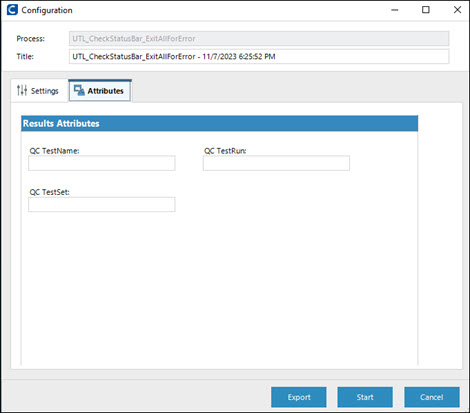
After you selected a process and click the Run  button, you can add attribute values from the Attributes tab.
If you use Certify.exe to execute processes, the format to specify a result attribute is /Attribute=”<AttributeName>|<AttributeValue>”.
If using multiple result attributes, the format is
/Attribute=”<AttributeName>|<AttributeValue>” /Attribute=”<AttributeName>|<AttributeValue>”
 Related Topics