Adding a Certify Process to an ALM Test Plan
To run tests in the ALM, you must add a Certify process to a Test Plan.
You must run the test from the Test Lab because you will receive an error if you execute a test from the Test Plan.
To add a Certify process to an ALM Test Plan:
-
In the Quality Center, click the Test Lab button.
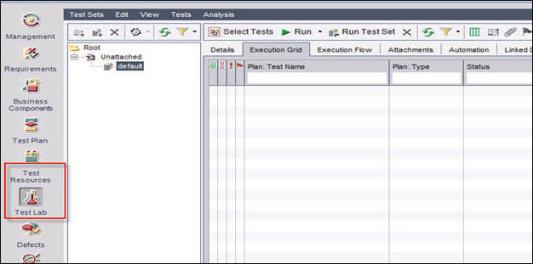
- In the left pane, select the Default folder.
-
In the toolbar, click Select Tests.
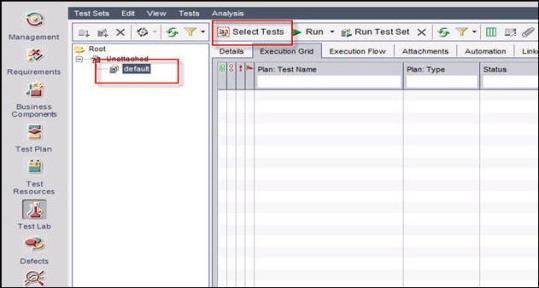
The Test Plan Tree tab opens.
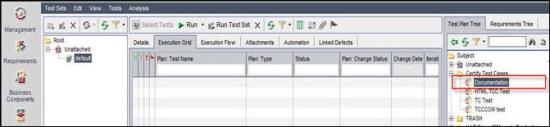
- In the Test Plan Tree tab, open the folder containing the test.
-
Drag the test to the Execution Grid.
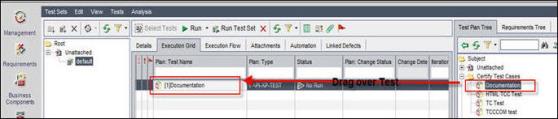
You are now ready to run your test. For more information, see Running a Certify Process in ALM.
 Related Topics